1 (720) 299-2084Solutions: Location Sound Mixing & Recording.TIPS by me & other sound recordistsThese links below open in a new tab or browser window. You can copy and paste www.coloradosoundrecordist.com into another tab / window to keep this page on your list. There is almost or is always a solution to a sound recording problem, when additional audio equipment is available. The sound person knows the problems cause and is able to apply their prior production experience to a remedy. When you hire an experience sound man or woman that can recommend alternate solutions. I’m frequently working in Denver and other Colorado areas. I have worked in other states & counties learning these solutions to problems from applied experience. And working freelance as a sound mixer with more experience, including on feature films. 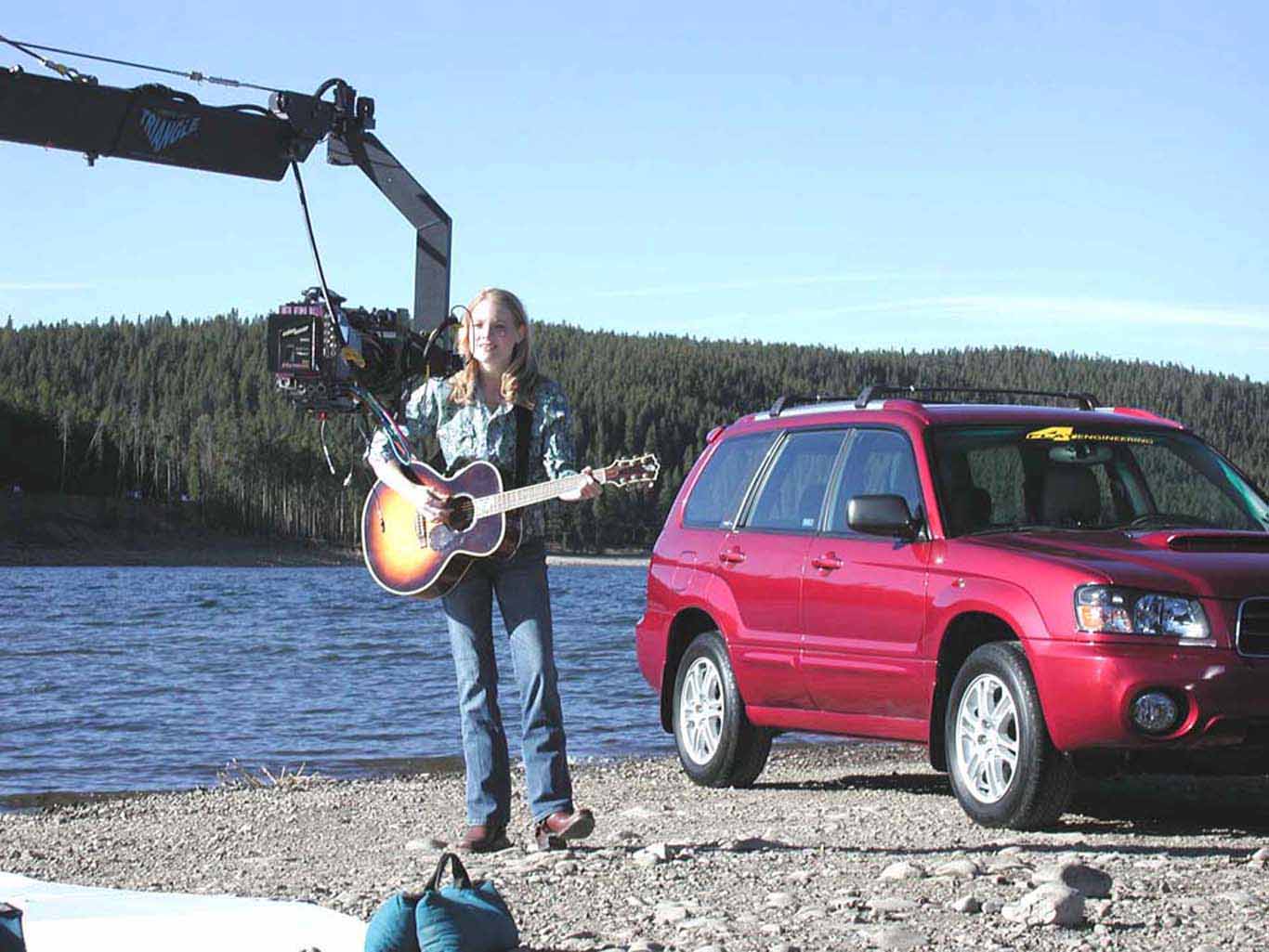 HD TV commercial production in Breckenridge Colorado. Research your problem online,Or ask another sound recordistYou can also find a solution via forums like Creative Cow or other production communities. You can buy the right gear from SoundDevices.com, TrewAudio.com, LocationSound.com – they have people who are also useful resources for equipment advice. They can also give advice on techniques in location sound mixing & recording, as well provide the gear to do so. They can also help you diagnose audio gear problems. They also assist on repairs. Calling the equipment manufacturer is also another solution if you are new to location sound and need to speak with a technical support person over the phone. If you are newer to location sound mixing & recording calling another veteran sound recordist can also be a quick fix to your problems as well – 1 (720) 299-2084. You can also call or email many resellers of equipment like the one’s listed above. And often there are tips & tricks these companies can offer you. Or provide you with a supply or piece of equipment or refer you to a technique that will help you. But don’t forget a google search can often help you out with multiple ideas. For instance: google search: “reduce clothing rustle with hidden lavaliere microphone,” is an example.  Reality TV show by Nick Teti in Dillon Colorado, ABC, “The Bachelor.” In a 2-person camera crew. Location ScoutingI the sound recordist can scout the shoot locations in advance or at least knows the address, this is better. RF scanning and ambient sound or noise evaluation can be done as well. Ambient noise or sounds are heard from the environment. I can also send you footage of the areas of interests for production planning. RF/Radio Frequency InterferenceMany Wireless are more prone to unwanted RF from emergency response, cell phone carriers and TV. Other RF/radio frequency interference starts in VHF and more so in UHF. UHF, Ultra High Frequency starts at 300 mhz (megahertz). The spectrum from 400 to 450 mhz is probably the least crowded as far as finding an open wireless frequency in the USA. Above 450 mhz gets progressively worse in finding an open wireless frequency. Newer wireless starting at 1800 mhzBluetooth frequency wireless starting at 2402 mhz is better. Some UHF wireless start at 1800mhz, a better use of UHF for sound recordists. RF interference can sound like extremely loud static, white noise or static noise but can also cause other problems. As a result of the FCC selling off everything from 600 mhz to 900 mhz, in UHF, sound people have migrated to Bluetooth or back to VHF that is less desirable. The 450 to 600 mhz spectrum is also crowded up, so it may take work to find open frequencies in larger cities. Denver, LA, San Diego, San Francisco, NY, Boston and the largest USA cities are incredibly RF crowded from 325 up to 1,000 ghz. Bluetooth starts at 2402 mhz and wireless like the Sennheiser AVX100 have better use with less chance of interference. They also auto-tune out of interference for a sound recordist. Sennheiser AVX series have a spectrum of 1800 to 2.4835 ghz, making them superior in finding open frequencies compared to other UHF mics. These wireless also can penetrate some structures and walls better. Many manufactures including more expense Lextrosonics and Zaxcomm are still focusing on lower UHF frequencies, that is puzzling to pay a premium, only to find less usable RF space. No Auto-tune, then scan out of RFWith UHF frequency agile wireless, first turn the receiver on and see if there is RF interference without the transmitter on. If so scan and find an open frequency to move to. Then turn on the transmitter and tune to that frequency. In Colorado UHF is crowded in many areas through the entire UHF spectrum except above 1800mhz, especially near Golden CO and Lookout Mountain. Removing Buzzing, Hum Sounds & Electric NoiseUnshielded or Unbalanced Audio cablesThis is usually poor ground or unbalanced audio cables most often, that include most phone cables, RCA cables, 1/8″ or other connections. And they are more prone to pick up electromagnetic interference when they exceed 3 feet. XLR connected cables have a ground connection, and also can extend past the limit where signal loss and electric interference causes noise or buzz problems common to other cables. There are cables for RED, ARRI and other specific cameras that have engineered their hardware past these problems. Shielded cables can be interfered with when to close to powerful electric sources or too many electric sources. Buzzing can be caused by a damaged ground wire in the cable as well.
Damaged CableA short in the cable will also cause this problem, especially the ground wire. If a ground wire is damaged in an audio cable, this will cause a buzzing noise. If a ground wire is separated from a terminal in a breakaway cable this can cause the same buzzing or hum noise as well. Or if another wire in the cable is damaged, static, pops and dropouts occur. If the cables are making contact internally, then the buss will be caused. Wrong Power, Right GearIncorrect power supply to equipment – Examples if you apply phantom power to a dynamic lavaliere, or line based mic, or line level connection. Or applying T power to a non Tonader based microphone, (T-Power in Europe). It will cause line hum or buzz, and quite possibly damage the equipment. Applying phantom power to some line level sources may also damage equipment, but there are exceptions. Poorly shielded microphone or connection cables or cables in proximity to electric cables or sources will cause line buzz. Poorly constructed light dimmers near XLR cables will cause line buzz or the 50 or 60 cycle hum in XLR cables or any other cable. Read tips on T Powering here. Read tips on Phantom Power here. It is better as a sound recordist to stop and fix the problem or to retake. Rather than to continue recording noise, as this cannot be entirely removed and will ruin the production. Costing you among the producers, clients & crew for allowing this noise into the recording. The footage that should have been addressed immediately. But as a client, when challenges come up, let the sound recordist solve the problem, period. Longer cable runs past 25 feet can also cause buzz or weaken the signal. Consider using lavaliere microphones or other radio transmitting sound devices to transfer/transmit your sound to your recording devices. Too many crossed audio cables or audio components that are connected can impede you. Or near dirty power sources that are un-shielded will cause these issues. Running audio cables over electric cables is NEVER a good idea. Power conditioners, ground lifters can sometimes be used, or going to DC power of your devices (using batteries in your hard wires mics, removing all outlet / AC power to power sound gear). Always power equipment correctly. These problems occur less in ENG or EFP, or mobile recording situations, but can be common if care is not taken. 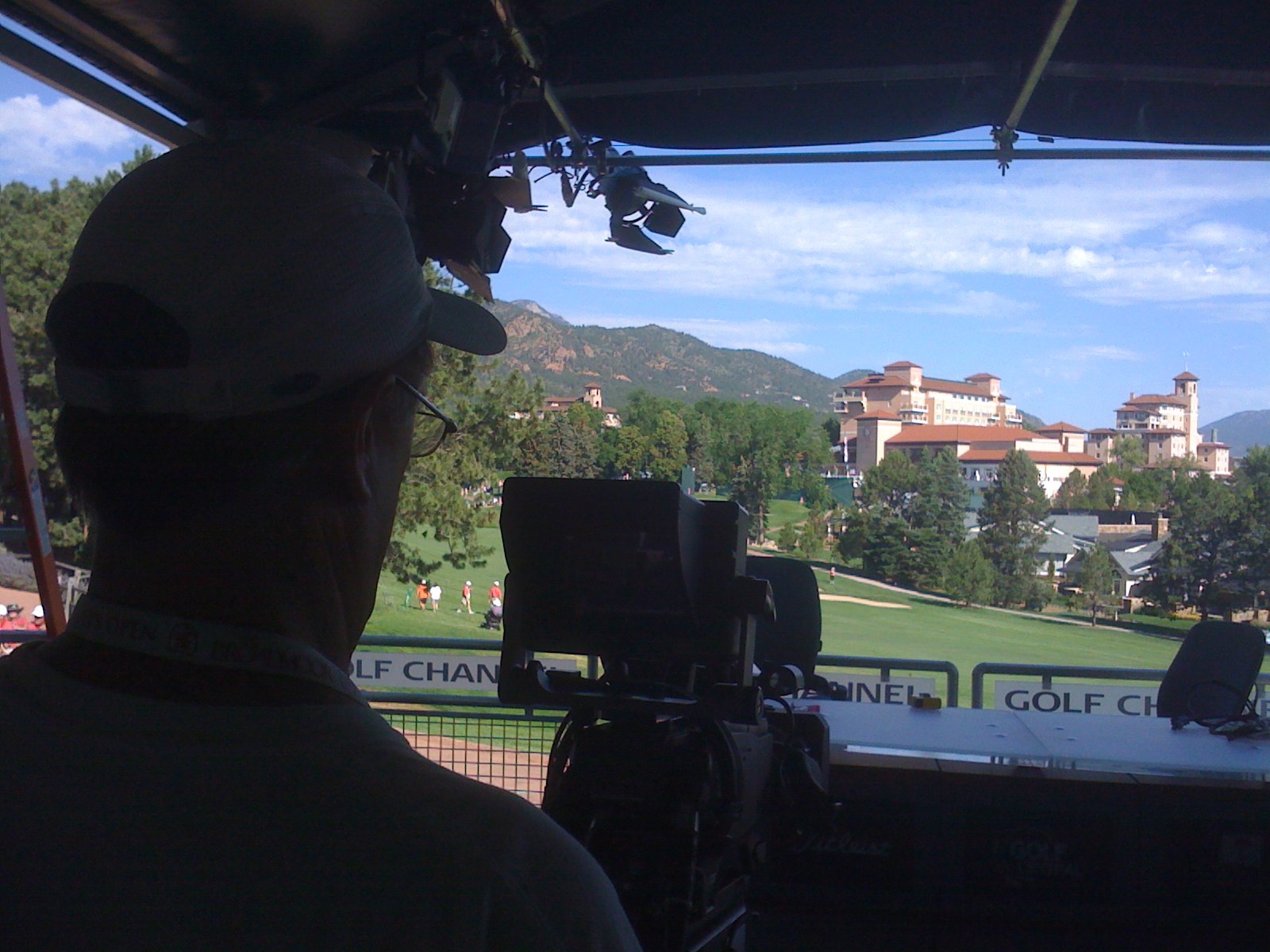 Shooting on location for the Golf Channel, on the USA Women’s Open in Colorado Springs CO USA. Reducing NoiseAir Conditioning Noise or WindWIND: Wind screens are imperative to have on any microphone except in well controlled interview situations. Aside from wind screens that a screen or foam based, there are also fuzzy windscreens for most all types of microphones that can be used as well to reduce wind noise, often nicknamed “fuzzies.” In windy situations outside, blocking the wind with a large stable barrier that does not rustle of flap, can also reduce wind intrusion. For outdoors, hiding lavaliere heads under clothing, and using wind screen or foam protection on the microphone head can also can eliminate wind rustle in sound recorded. For shotgun microphones, using a large zeppelin or dead cat wind jammer can also help outside in moderately windy situations as well. A dead cat is a large furry wind diffuser and a zeppelin is a large blimp like wind diffuser for shotgun microphones. Wind barriers can be made as well to reduce wind from hitting microphones as long as they are not affecting the sound. Most wind diffusing devices are designed to absorb wind, or diffuse it or direct it away from the microphone diaphragm. If none are available use a tube sock on the shotgun. AC, White Noise & Related Sounds: Turning off air conditioning or electrical appliances not relevant to the shot or subject matter is the first step to avoid the problem. Choosing another location or using high pass filters on mic connections in air conditioning problem-laden situations is another idea. Shielding air ducts if possible is another solution or flagging them or blocking them in the location of the shoot or shot. Other solutions include using wind barriers, or barriers to the sources that are causing the problem. As AC is the same as wind in a lesser degree wind barriers and high pass filtering are often solutions for the sound person. Using a low cut on the mixer with an adjustable rolloff will reduce fan noise, moderate air conditioning, even city traffic noise (off in the distance), as well some other white noise sources. Adding barrel filters / high pass filters will often work, (except with phantom powered sources), and can greatly reduce the problem. PSC High Pass filters are excellent for this task. Using more lavalieres than boom sources for audio can reduce air conditioning noise as well in some instance. Other NoisesAs an audio tech I’ve heard several noises that can be resolved with diplomacy or by other remedy. They include:
Solutions to noise can be anticipated with a location scout better by an experienced sound person. With equipment including a sound mixer as well as microphones to test the ambient noises. Surveying the probability of other intrusions to the sound recording. Obtaining a film permit in public places, as well secluding the production from the public or intrusive elements is critical in larger scale & budget productions, especially in features. Hiring police as well to control areas or traffic can also move annoying intrusions away from your production or set. RF scanning in advance of an area is a HUGE help. Hiding Lavalieres in ClothingCotton can be a better material for hiding a lavaliere mic head. To reduce or eliminate the sound of rustling clothes, it’s important if the lavaliere mic head is in contact or secured against the clothing of a person. In a way that the head will not move around rubbing against the fabric. Hiding microphones under layers of clothing will make the rustle more apparent because it is hearing the sounds of multiple layers of fabric in contact with each other. An example would be if you have a mic head under a shirt, that is covered by a necktie or overcoat, under a dress shirt. You will be competing against all those materials on the wardrobe, as well creating muffling the sound. Here are some tips or tricks and places to hide lavaliere heads: Hiring a sound person well equipped and experienced ensures your production moves smoothly, instead of stopping. Me having more than one audio component as well, in wireless, shotguns, mixers among other gear, ensures a back-up or allows the sound person to scale up the size of the production when the need arises. Along with the gear for specific cameras from various makers, I also have the experience with higher end cameras as well having the accessories. Wireless Microphones / LavalieresAll my wireless are UHF frequencies.
Wireless mic heads include:
Shotgun Microphones
Sound Mixers & Recorders for Video, Television, Film Sound Devices Mix Pre-10 ENG/EFP audio mixer & recorder Sound Devices 664 Mixer Recorder with 6 dedicated XLR inputs, with other inputs as well. I use this the most out of my mixer/recorders. Tascam HS-P82 Mixer Recorder – Having 8 dedicated split inputs, this is a very high-end digital audio recorder / mixer for ENG, EFP, film or video production. The S/N ratio makes you feel like you are in a sound booth and not a noisy environment with AC, among other sounds. Filtering and mixing up to 10 tracks with EQ. With time code embedded from a device or to slave several devices like several different cameras or other I/O recorders. Sound Devices 552 ENG/EFP audio mixer & recorder with 2 channel recording. Call me on a pre-production meeting and we can discuss your needs of a production sound mixer. 1 (720) 299-2084 Additional Mixers & Portable Recorders
Additional Equipment
Major Market Proximity
Contact Nick Teti by telephone at 1 (720) 299-2084 or use my contact page. For these services or other resources referred & provided in Colorado for video, film or television production. Skype: Nick Teti or misterphotonmedia in Colorado Video, Film and Television SamplesYou can skip forward with arrow or icon, or to re-watch the videos, please refresh the page. Hiding Microphones (Lavalier mic cables on people)
YouTube.com on some ways to hide lavaliers on people: https://www.youtube.com/results?search_query=Hiding+a+Lav+mic Syncing MethodsDumb syncing or slatingUsing the slate clapping method, or hand clap started in film production before video production. For the sound engineer, including early days of television production, or adapting to recent technologies. Like use of DSLR cameras or other cameras that don’t have a time code ports. Or lack audio input ports or limited audio input. Or cameras without internal mechanisms that are not as sophisticated to record good, clean sound. It’s still widely used today in a method of clapping a slate or hands together in front of camera before “action”. While rolling sound & camera before the slate is then clapped where the editor can later look up the frame where the slate or hands makes contact between the separated top & bottom. Then matches this to the waveform on the recorded audio file. The loudest part of the waveform at the beginning of the recording typically matches the video or film that has the slate in the picture clapping or making the first contact. To help the editor, it’s critical to see the slate clapping before action occurs to see the match between video or film and the audio files. The video file or film roll can be referenced in the audio recording before or after the slate clap, at the beginning and end of the file as well if critical, this also helps the editor. The camera operator informs the sound recordist the take # or name. A slate mic on the mixer will assist in recording the referenced video or film take for the sound recordist or sound crew. 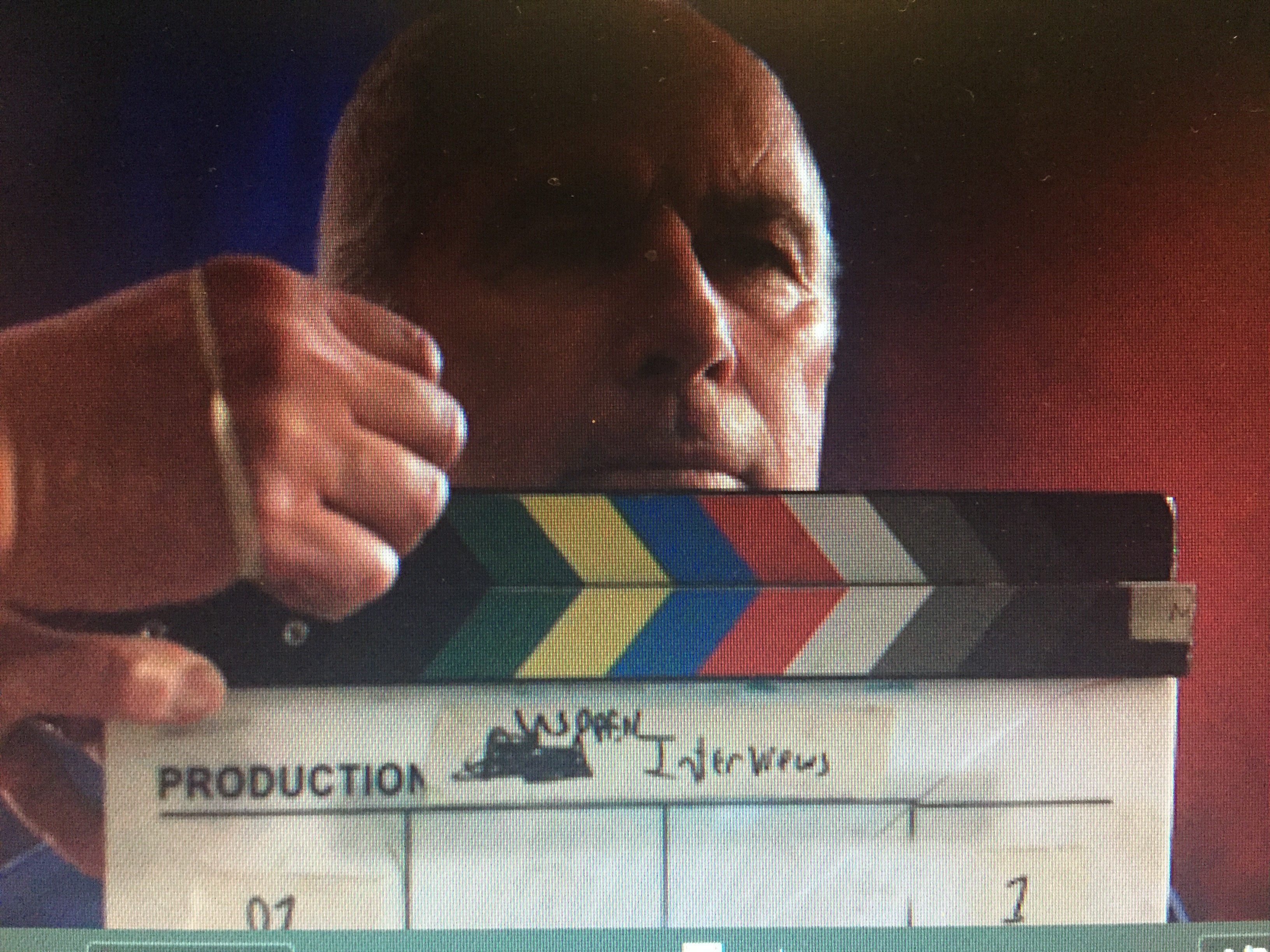 A local camera crew syncing an interview for ESPN Films with a slate before beginning an interview on location in Colorado Springs CO. Including a sound recordist, director of photography, grip and producer comprising the local freelance 4K video crew. Note the pause in the frame where the slate claps.
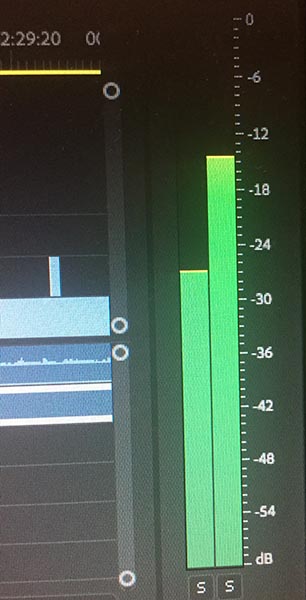 This represents the loudest portion of the sound in the interview where the slate claps before the Q&A. When the slate bangs / claps together if done properly. This is a screen shot of a video editing software, Adobe Premiere demonstrating this. Time Code Sync or Sync FilmUsing time code embedded into the audio file, referenced from the time code out port of the camera enables the editor later to sync these time codes from the video, as well the audio together. This also applies to film production in instances of 16mm, Super 16, 35 or 70mm formats if the camera has a time code port. The sound recordist can also get time code from a more recent film camera, with most either being 35mm or 70mm formats. Most all film all stocks do not have a way to embed time code physically onto the film so the DP or camera operator or other person in the camera department must coordinate with the sound recordist or crew to set matching time code. Sending time code out from a film camera to the sound recordist is the easiest method to reference the film picture to the sound recorded. VideoTime code can be sent from the sound recordist into the camera making the time code match the recorded audio files from the sound recordist or the camera operator can send time code to the sound recordist to embed time code into their recorded files. Audio Directly to CameraAudio straight into the camera recorded simultaneously with sound & picture is synced. Free Run Time of DaySetting the recorder or mixer recorder’s frame rate to the cameras frame rate by jamming time code is best. Starting the recorder and camera at the same time code start then letting them free run in non-drop frame (NDF) will also work but not as accurate. DF/Drop Frame time code will drift from sources as each device will drop frames at varying intervals, and not consistently the same rate. DROP FRAME drops randomly from device to device. Each second or x amount of minutes from device to device. You can send time code from camera to recorder or recorder to camera to sync them initially then let them free run on the same frame rate. It’s good idea to check this frequently, but the drift will be fractional over days with these methods in NDF (Non Drop Frame). You can use a non-drop frame rate like 24, 25, 29.97/30, 50, 60 to avoid drift after you jam timecode camera to mixer or other device. Free Run TOD timecode is another less accurate solution when the sound recordist and camera person cannot stay connected together during recording. With no lock-it boxes or tentacles available to keep time code in continuity. As a sound man, I use tentacles when disconnected from the DP or camera operator or videographer. Another solution if your camera does not have a time code port is to use a cell phone time of day and match the camera. As well other devices to free run time of day in a matching frame rate and start them running at the same time. People have argued that drop frame time code is not consistent from device to device, but I can only comment that no frames are DROPPED in DF TIMECODE, just the numbers are dropped according to what I have read. Drop frame free run can drift from device to device if no jam synced. Drop Frame was invented for master control operations, and may not be as necessary on the production side on time of day time code, as it can be converted in post-production or your final program. Read more about DROP FRAME timecode by this wiki search link that opens in a new tab or window. I can do all frame rate recording for audio sync in NTSC or PAL. from 23.98 to 60. Under and overcranking typically is not a function of audio sync and many cameras when over or undercranking do not record sound, that is typical over 60 fps. 59,94 frame rates are closest to 60p in many mixers/mixer recorders. I can also record sound of course if you are under or overcranking the camera because I’m that type of sound guy. Lock-It Boxes and Tentacles or WirelessTentaclesTentacle’s are a simple wireless lock-it box device that are easy to operate. You can sync from Tentacle to Tentacle or from Tentacle to camera and or mixer recorder or phone app. Tentacles have a very low drift factor and battery life making them ideal for longer shoots. Tentacles have adapter cables to sync to phones, Andriod devices, mixer/recorders, BNC ports, cameras and Lemo connections, as well the mini port allows them to send time code into DSLR or other devices that have a mini connection. My personal choice as a sound guy is the Tentacle over a Lock-it Box for wireless syncing. Lock-it BoxesLock it boxes are varied in manufacturer but are a reliable wireless method to get time code, but some do not have the syncing interface ease of mobile devices like iPhones or Androids without applications help. Some are better suited to direct time code ports like BNC or Lemo to BNC for connections. Having less diversity between common or uncommon time code connections like an iPad, iPhone, Android or other mobile device. Tentacles have an advantage in you can set them up with these mobile devices as well, as cameras or mixers. Lavalieres with Adapted CablesWireless microphones with a transmitter and a receiver can send time code to an XLR channel input or other audio input, effectively giving the other channels a reference signal where an editor can use editing or syncing software to match time codes later in post-production. The wireless system needs to be able to input and output a LINE LEVEL signal to match the characteristics of SMPTE time code. The sound recordist still needs an adapted cable in certain instances to send the timecode into the camera or mixer or recorder. Use the AF out connection from the receiver into the camera or mixer audio input. Sending time code to an audio channel. Or adapt the AF out of the transmitter to the input of the mixer or camera or other recording device time code port. You will probably need adapted cables from the camera or mixer into the transmitter. Adapted cables from the receiver to input and output to the time code connections of each. As a location sound mixer, I’ve done this before, but have other methods and hardware I use before doing this. Editing Software & Audio Software for SyncVideo Editing SoftwareNewer versions of software are great for Syncing non-time code sources more easily.
Have syncing capabilities as well, but remember that it’s better to sync with all the methods in tandem mentioned above. Audio directly into camera, time code referenced recording and slating if you have the time. Audio Sync SoftwareAmong others are common applications I have used to sync audio together as well many other video editors. Adobe Premiere CC & Final Cut X have an easy use synchronize function as well. There are also Android Apps, IOS (apple) and other maps on phones, tablets and touch enabled laptops. Damage Control in Post-ProductionThere are several filters & techniques in editing software like, de-noise, noise printing, notch filters among others that can help with lesser problematic sound recordings. RF interference is not easy to fix, sometimes not fixable. Some problems will not be able to be scrubbed in post, so just hire a sound person to audio the challenges of location sound. Contact by telephone at 1 (720) 299-2084Skype: Nick Teti or misterphotonmedia (Colorado) Page End: Go back to this Page’s top These articles are provided by Nick Teti, a freelance sound recordist; local in Denver or Colorado. Nick provides sound man services, also known as a sound or audio guy, audio tech, sound recordist or mixer services and other related services in all CO, as well, traveling for video, film, television & radio productions.
|